
Every day your terminal can automatically print a receipt to show you what will be settled into your account. If your terminal is not printing this receipt, please follow these steps to turn this on.
You will get two parts to your settlement receipt: one for Shift4, which processes your Visa, Mastercard, and Amex transactions (for both debit and credit); and the other for your EFTPOS transactions processed through Paymark (formerly Worldline), where your customer has swiped or inserted their card and manually selected the account they wish to pay with.
Shift4 settlement receipt:
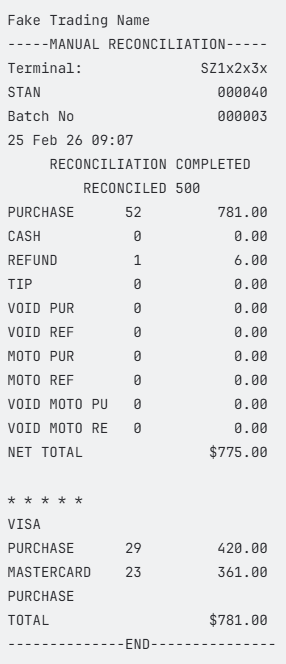
Paymark settlement receipt:
Please note: with your Paymark settlement receipt, this is only an estimate of what you will receive into your account, as Shift4 does not acquire these transactions.
If you trade overnight, i.e. 4pm-3am, the date on your Paymark receipt will be for the date the shift ends, whereas your Shift4 receipt will be the date when the shift starts.
If you want to do a manual reconciliation of your daily transactions, follow this help centre article.
Not seeing anything for your Paymark transactions?
If you are seeing a receipt with no transactions, it means your settlement windows for both Shift4 and Paymark aren’t aligned for the same times. You can simply give us a call on 0800 476 278, and we can help align these.