
When the Screen Goes to Sleep:
Tap the screen twice to wake the screen or, press the power button on the right side of the terminal to wake the screen.
To Adjust Screen Brightness:
- Swipe down from the very top of the screen

- The Android menu will appear, swipe down again on the tab, to expose the brightness bar
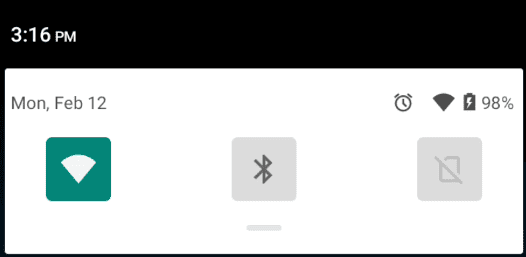
- To increase brightness, hold and move the dot on the screen brightness bar towards the right
To decrease brightness, hold and move the dot towards the left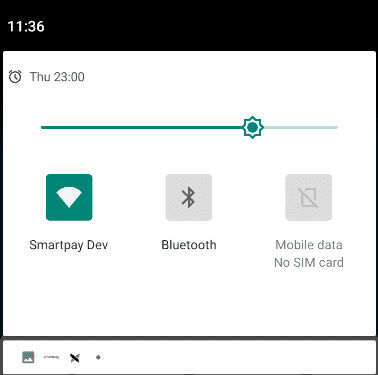
Terminal Sounds/Volume:
On an A920Pro terminal, the left side of the terminal has a + and –. Press this to turn the volume up and down.
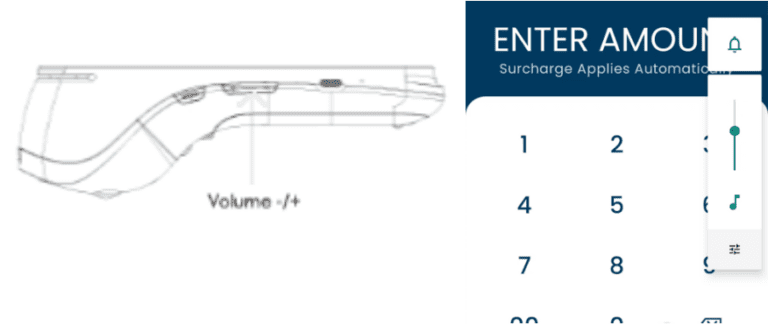
An A910S has the volume control on the right side of the terminal instead.
If you wish to mute the terminal (no sound), press either + or – to bring up the volume controls. Then select the Bell symbol on the screen.
Sound on:

Mute:

If you wish to change or mute the transaction sounds we play (for example the sound when a transaction is successful), press either + or – to control the volume level.